structured_log_fluent
A ready-to-use Fluent UI (WinUI-style) in-app log viewer for
structured_log, built on
structured_log_flutter’s
LogViewerController: a master-detail split view (list on the left, the
selected entry’s full context in a detail pane on the right — matching
WinUI apps like Mail/Settings, not a mobile-style bottom sheet), a search
box, category and level-filter dropdowns, all styled via FluentTheme for
light and dark. Available both as a full screen (FluentLogViewerPage) and
as a plain embeddable widget (FluentLogViewer) for dropping into existing
page chrome — a Flyout, a side panel, a tab, …
Status: published on pub.dev (
0.1.0).fluent_uineeds Flutter3.44.0+— enforced by this package’s ownenvironment.flutterconstraint (see pubspec.yaml), so an older Flutter SDK fails atpub getrather than deep insidefluent_uiat build time. Design reference: the Log Viewer UI Concepts canvas (Fluent section).
Features
Section titled “Features”FluentLogViewer— the log viewer as a plain embeddable widget: a toolbar (search box, category dropdown, level dropdown, pause/resume, clear-all) above a live newest-first master list with a detail pane for the selected entry — no page chrome of its own, so it can be dropped anywhere in an existing layout- Responsive — both the toolbar and the master-detail split react to the width this widget is actually given, not the window’s: a narrow toolbar wraps onto a second row instead of overflowing, and a narrow master-detail collapses to a single pane (the list; tapping an entry shows its detail in place, with a back button to return) — so it stays usable docked in a narrow side panel, not just full-screen
FluentLogViewerPage— a thinScaffoldPagewrapper aroundFluentLogViewerfor the full-screen case: adds a title (“Logs”) and, when pushed viaNavigator, a back buttonLogCategoryComboBox— acategory-filter dropdown whose options are derived from the distinctcategoryvalues currently in the buffer; hidden automatically when fewer than two are presentLogEntryTile— one row: a colored level badge,event, formatted time, and a category tag if the entry has one; hover and accent-colored selection highlightingLogEntryDetailPane— the selected entry’s full context as formatted key/value pairs, with a “Copy” action — rendered alongside the list (master-detail), not as a modal overlayLogViewerEmptyState— “No logs yet” vs. “No results found” (with a “Clear filters” action)- Theme-aware — colors and typography come from
FluentTheme.of/theme.resources(light/dark both supported); only the level-indicator palette is fixed (logLevelColor), kept in one place so it can’t drift between widgets
Installation
Section titled “Installation”dependencies: structured_log_fluent: ^0.1.0Within this monorepo, melos bootstrap resolves the two internal deps to
path dependencies instead:
dependencies: fluent_ui: ^4.16.1 structured_log_flutter: path: ../structured_log_flutter structured_log_fluent: path: ../structured_log_fluentQuick Start
Section titled “Quick Start”import 'package:fluent_ui/fluent_ui.dart';import 'package:structured_log/structured_log.dart';import 'package:structured_log_flutter/structured_log_flutter.dart';import 'package:structured_log_fluent/structured_log_fluent.dart';
void main() { final buffer = LogBuffer(); final controller = LogViewerController(buffer);
StructlogConfiguration.configure(sinks: [ LogSink(name: 'viewer', output: buffer.capture), ]);
runApp(FluentApp( home: FluentLogViewerPage(controller: controller), ));}See example/ for a full runnable app (including web) — run it
with flutter run -d chrome from that directory.
To embed the viewer inside existing page chrome instead of giving it the
whole screen, use FluentLogViewer directly:
Row( children: [ Expanded(child: MyAppContent()), SizedBox( width: 420, child: FluentLogViewer(controller: controller), ), ],)Screenshots
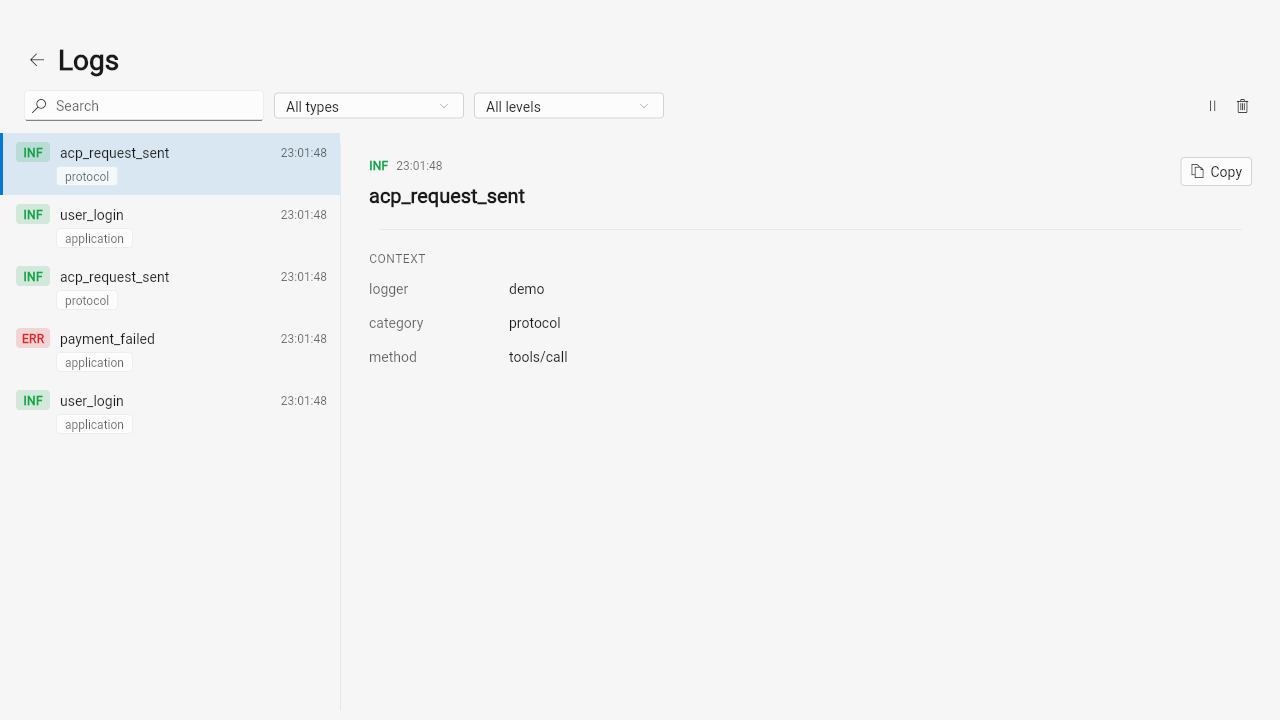
Section titled “Screenshots”FluentLogViewerPage as the full screen — master-detail split view,
list on the left with a category/level filter toolbar above it, the
selected entry’s full context on the right:
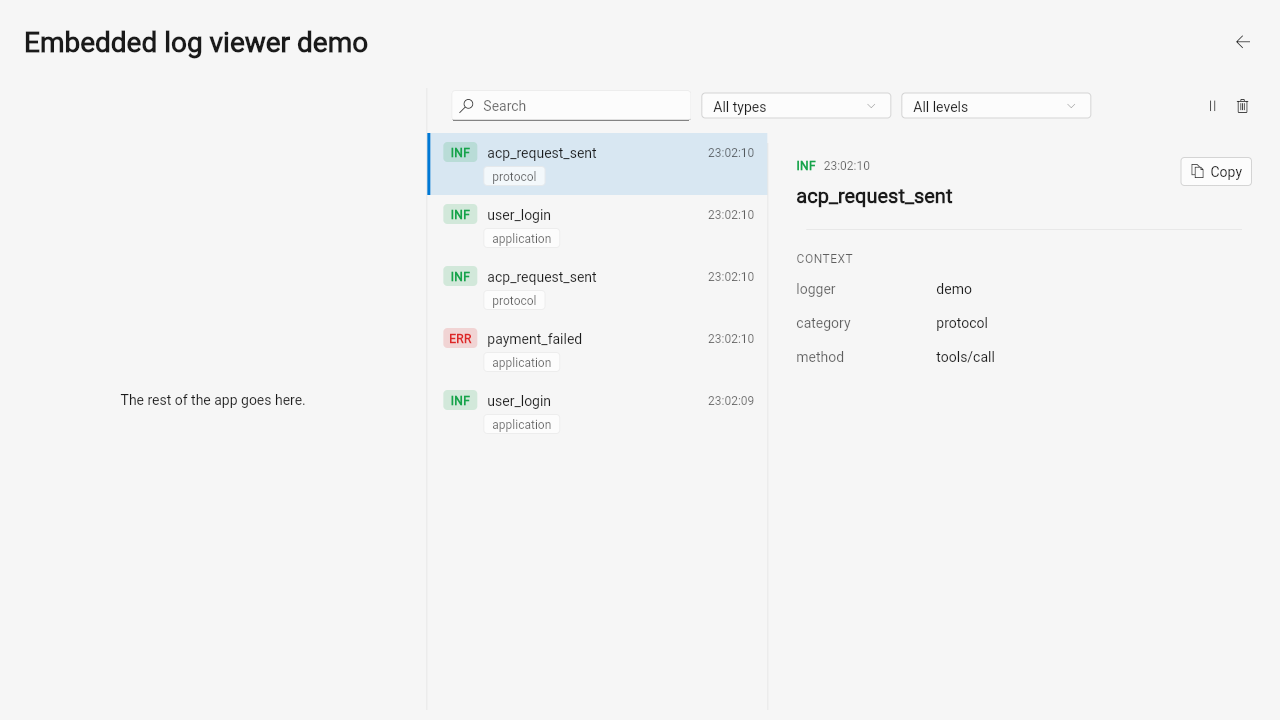
FluentLogViewer embedded in a side panel next to other app content —
the same widget, no page chrome of its own:
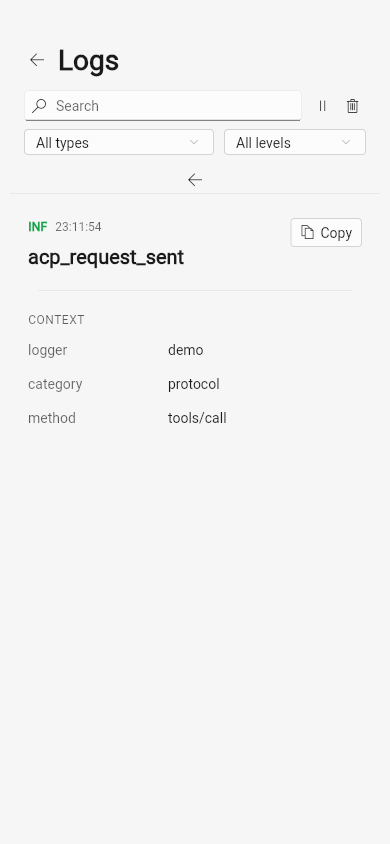
On a phone-width screen, the toolbar wraps to a second row and the
master-detail split collapses to a list; tapping an entry replaces it
with LogEntryDetailPane, with its own back link:
API Reference
Section titled “API Reference”| Widget | Description |
|---|---|
FluentLogViewer({required LogViewerController controller}) |
The log viewer as an embeddable widget (no page chrome) |
FluentLogViewerPage({required LogViewerController controller}) |
The full screen |
LogCategoryComboBox({required LogViewerController controller, String allLabel = 'All types'}) |
The category-filter dropdown |
LogEntryTile({required entry, required selected, required onTap}) |
One list row |
LogEntryDetailPane({required entry}) |
The detail-pane content |
LogViewerEmptyState({required hasLogs, required onClearFilters}) |
The two-variant empty state |
logLevelColor(LogLevel level, Brightness brightness) |
The canonical level-indicator color — defined once in structured_log_flutter, shared by every skin |
logLevelAbbreviation(LogLevel level) |
A short uppercase label (INF, WRN, …) for the level badge |
entry throughout is the Map<String, dynamic> shape structured_log
produces directly — no separate typed model.
License
Section titled “License”MIT